Data sovereignty on site with REDDOXX MailDepot
The software solution for legally compliant email archiving














E-mail archiving with REDDOXX
REDDOXX MailDepot not only offers legally compliant archiving, but also makes the handling of emails in the company more efficient, more secure and simpler. The solution saves time, protects against data loss and creates transparency for all employees. Here are the most important advantages at a glance.

All emails are archived automatically and in an audit-proof manner. Even if users accidentally delete emails from their mailbox, they are completely retained in the archive.

By automatically swapping out old messages, you reduce the storage requirements and system load on your email servers – this increases performance and stability.

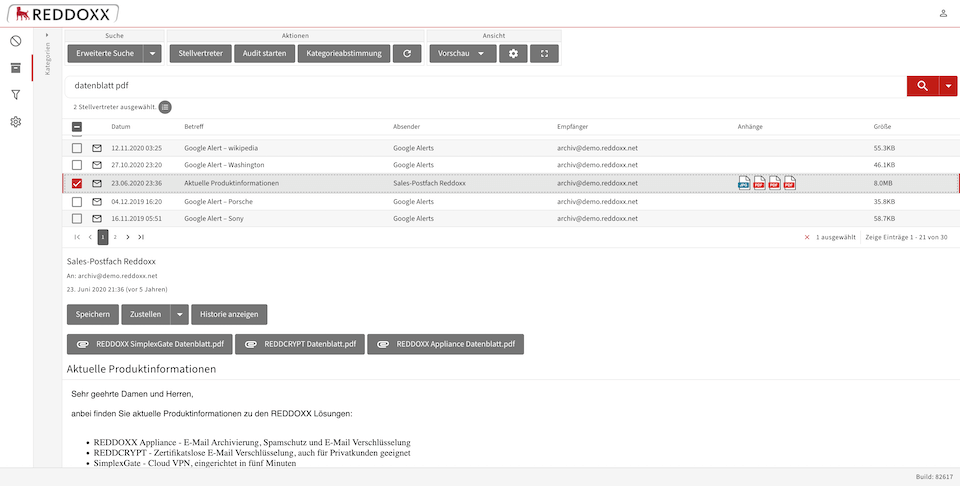
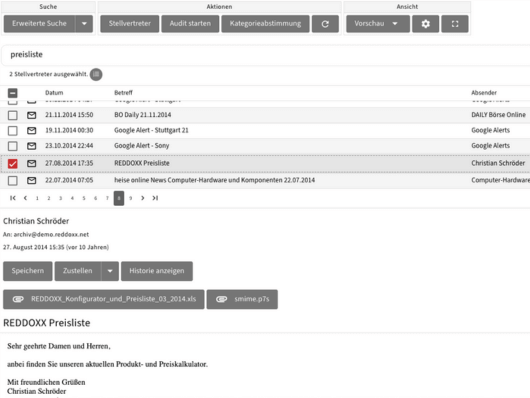
Thanks to the powerful full-text search, you can find emails and any attachments (e.g. PDF, Office documents such as Word or Excel) within seconds – even in large databases.

Compression, deduplication and efficient storage in the archive save you expensive storage space and keep mailboxes lean.

No more scattered, insecure and difficult-to-manage PST files. With MailDepot, all messages are archived centrally and can be accessed at any time.

MailDepot ensures legally compliant archiving and fulfills all relevant requirements for storage, data protection and traceability.
E-mail archiving with REDDOXX
MailDepot offers everything that companies need for efficient, secure and legally compliant email archiving and makes working with emails noticeably easier. From full-text search to seamless integration into existing IT systems: MailDepot is a powerful, modular solution that grows with your requirements.
Works with any mail server – even if you change it from time to time
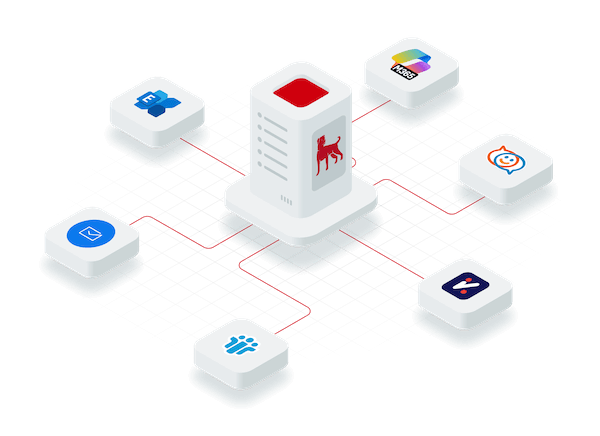
Our email archiving works independently of the mail server used. Whether Microsoft Exchange, Microsoft 365, Zimbra, Kerio Connect, Postfix, GroupWise or HCL Notes (Lotus Notes) – integration is uncomplicated and flexible.
And the best thing is: if you change your mail server, email archiving will continue to work. Thanks to market standards, you can easily restore an email archived by Lotus Notes to a Microsoft Exchange server, for example.
Supports any storage: whether NAS, SAN or VirtualDisc
With REDDOXX MailDepot, you are completely flexible in your choice of storage. Whether local NAS, high-performance SAN or a virtual hard disk in your virtual environment – the system adapts seamlessly to your existing IT infrastructure. This allows you to make optimum use of existing storage capacities and save costs.
And the best thing is that you don’t have to plan the storage for the next 10 years today, but can expand it at any time during operation.

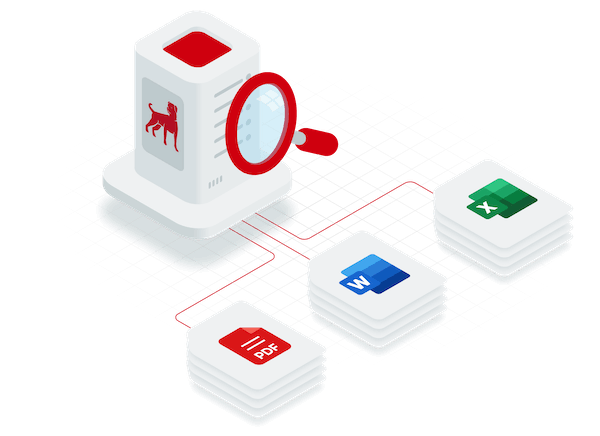
Full text search even in PDF files and other attachments: find 10-year-old emails in 5 seconds
Thanks to intelligent full-text indexing, MailDepot not only searches subject lines and email content, but also text-based attachments such as PDFs, Word or Excel documents. Even with large databases, you can find any email you are looking for within seconds – quickly, precisely and conveniently.
And best of all: you can also find emails from years gone by in seconds. Even 10-year-old messages and their attachments are just a mouse click away – even if the employees are no longer in the company.
But our archiving can do even more!
With MailDepot, you are not only investing in high-performance email archiving, but also in a system that grows with your requirements. From compliance and storage optimization to simple administration and role-based access permissions, MailDepot offers everything you need.
Whether web browser, smartphone app, Windows app or Outlook plugin – you and your employees have quick and convenient access to all archived emails at all times.
Import existing databases and delete legacy data. Thanks to flexible export options, you remain independent and avoid artificial vendor lock-ins.
Define individual access rights and, for example, enable access to archived emails from former employees – legally compliant and traceable.
Comply with data protection requirements such as the GDPR. Delete emails on request – for example rejected applications – and always remain compliant.
MailDepot grows with your company. Extensions such as integrated spam protection or email encryption can be added seamlessly.
Manage MailDepot conveniently via a modern web interface – including simple update and maintenance functions for administrators.
Who is REDDOXX MailDepot suitable for?
REDDOXX MailDepot is deliberately designed to be flexible: The solution can be used efficiently in small companies with just a few mailboxes as well as in large, distributed structures with thousands of users. The solution is simply installed as a virtual appliance in your existing environment and is ready for use in just a few steps – without any major set-up effort.
Small companies benefit from an uncomplicated, legally compliant archiving solution that does not require any additional infrastructure or ongoing support. Large companies receive a powerful system with role-based access and a comprehensive compliance framework – even across multiple locations or domains.
Simple archiving with little effort: MailDepot can be quickly integrated into existing systems and immediately delivers legally compliant archiving – without any complex infrastructure.
Increasing email volume, limited IT resources? With MailDepot, you can relieve the load on your mail server, reduce storage requirements and keep an overview at all times with the full-text search.
Multiple locations, many mailboxes, clear compliance requirements? MailDepot is scalable, multi-domain capable and meets the highest data protection and archiving requirements.
Ideal for law firms, tax offices, medical facilities, educational or administrative institutions – wherever long-term archiving of important data is required.
How REDDOXX MailDepot works
MailDepot is set up quickly and integrates seamlessly into your existing IT landscape.
Email archiving then runs automatically in the background, so your employees can concentrate on the essentials: working productively with emails.
1. installation and setup
MailDepot is integrated into your existing IT infrastructure as a virtual appliance. It is installed on your preferred virtualization platform – e.g. VMware, Hyper-V, XEN, KVM, Proxmox or other hypervisors.
After installation, the appliance undergoes basic configuration, for example with the connection to your Active Directory (LDAP) to automatically synchronize users, groups and e-mail addresses.
As soon as the environment is set up, you can activate archiving, define rules and connect the first mailboxes.
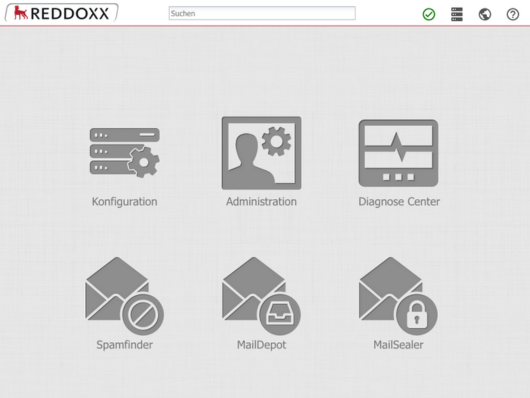
2. automatic archiving
Once set up, MailDepot automatically starts archiving all incoming and outgoing emails – and, if desired, all internal emails too.
Archiving is independent of the mail server used and ensures that all messages are stored completely, unalterably and in an audit-proof manner.
Journaling, SMTP forwarding (e.g. Postfix), integration as a central gateway in the SMTP traffic or via POP3 access allow even complex mail flows to be fully captured.
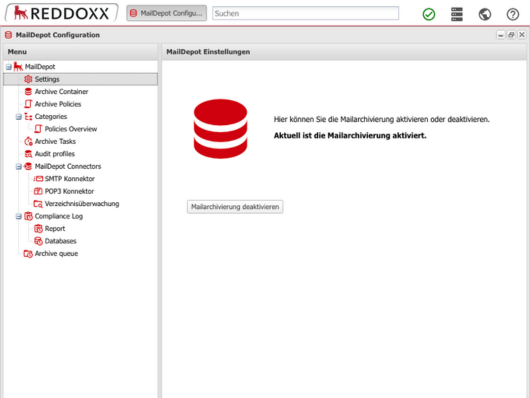
3. compliance and discharge
MailDepot reliably ensures compliance with all legal requirements in the background – including the GoBD, GDPR and other national and industry-specific requirements.
At the same time, the solution noticeably reduces the load on your IT structure: archived emails are outsourced from the mail server and deduplicated, which saves storage space and improves performance.
Insecure and difficult to maintain PST files are also a thing of the past – all emails are stored centrally, securely and searchable.
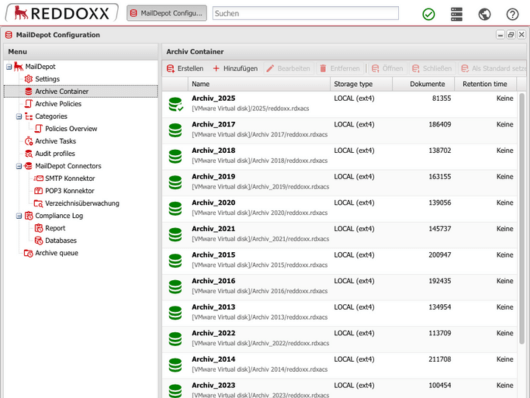
4. find emails in seconds
As soon as emails are archived, they are available via the powerful full-text search – including all text-based attachments (e.g. PDF, Word, Excel).
The search is lightning-fast – even with large databases of several terabytes – and can be used via the web browser, the Outlook plug-in, a Windows client or the smartphone app.
This means your employees can find what they need in seconds – whether it’s 10 days or 10 years old.
The REDDOXX Appliance is a virtual machine and can be installed under almost any hypervisor. VMware, Hyper-V, Citrix XEN, KVM, Proxmox, Nutanix AHV or Virtual Box are supported, among others.
If you don’t have your own virtual environment or don’t want to use email archiving locally, we recommend our Cloud Archive – 100% in German data centers, of course.
No. MailDepot works independently of the mail server used and integrates seamlessly into your existing environment – whether Exchange, Microsoft 365, Postfix, Lotus Notes or other systems.
The virtual appliance is usually installed and configured within 2-4 hours. After the basic configuration, you can start archiving immediately. For more complex environments, we recommend scheduling 4-8 hours.
Yes, MailDepot meets all the requirements for legally compliant email archiving: immutability, traceability, retention obligations and data protection-compliant deletion.
Archived emails from former employees are retained – even if you delete these users in the Active Directory – and can be viewed by authorized persons – with documented access control, of course.
Yes, MailDepot supports a wide range of import options, including importing existing PST files or importing the Exchange database. This allows you to consolidate your email history and create a standardized, central archive structure.
No. You are free to choose where the archive data is stored – whether NAS, SAN or virtual environment. And best of all: the storage can be expanded at any time during operation if required.
Yes, this is possible – in compliance with legal requirements. The integrated compliance framework can be used to define deletion guidelines, e.g. for the timely removal of personal data (such as rejected applications). On request, individual emails or entire data areas can be removed in compliance with the GDPR – documented and traceable.
No problem. REDDOXX MailDepot archives independently of the mail server used. This means that even if you completely change your email infrastructure – e.g. from Lotus Notes to Microsoft Exchange or to the cloud – the existing archive is completely retained and remains accessible. Once an email has been archived, it can be restored to any mail system.
A backup is used for recovery in an emergency, e.g. in the event of system failures. Archiving, on the other hand, stores emails permanently, completely and in an audit-proof manner – regardless of the mailbox. Both complement each other, but fulfill different purposes.
If you follow discussions on the subject of email archiving, you will repeatedly come across the term “audit-proof”. It is often said that audit-proof email archiving is required in order to comply with legal requirements and guidelines.
In essence, audit-proof archiving is primarily about ensuring that emails can be accessed or displayed in the same way and with the same content even years after archiving – and that this unchanged original state of the original email can also be documented accordingly.
It must therefore be ensured that the data cannot be inadvertently or intentionally changed within the intended archiving period.
According to many generally recognized definitions, audit-proof archive systems meet the following requirements (among others):
Archived information…
- … are unchangeable
- … can be found again
- … the archiving is traceable
- … the data is protected against forgery and manipulation
Important to know: Audit-proof archiving is not only the result of certain technical features. Rather, it also includes operational processes, for example, which ensure that all relevant data is recorded completely and without gaps.
When it comes to the long-term storage of email communication, it is particularly important for companies to implement legally compliant email archiving. This is because it is far from sufficient to simply back up emails from time to time or to simply store them on a backup medium without taking any further precautions
In many respects, emails with business-relevant content are equivalent to traditional, paper-based business letters and documents. The relevance of an offer, an invoice or an agreement regarding a contract does not change depending on whether it is sent by letter post, fax or e-mail. As the proportion of business emails is constantly increasing and more and more processes are being carried out in this way, the need to deal with the topic of legally compliant email archiving intensively and sustainably is also increasing.
How can this be implemented in practice? Many factors need to be considered for legally compliant email archiving. A number of regulations and deadlines result directly from the equivalence of business emails with corresponding business letters. This applies, for example, to the retention periods for tax-relevant documents such as invoices or receipts. Further criteria for legally compliant email archiving can be derived from the various guidelines for handling IT-supported data.
The ordinances, laws and regulations that companies must comply with include the German Commercial Code (HGB), the so-called “Principles for the proper keeping and storage of books, records and documents in electronic form and for data access” (GoBD for short) and the German Fiscal Code (AO for short). Also important for legally compliant email archiving until the end of 2014 were the principles of proper IT-based accounting systems (GoBS), a collection of regulations that were primarily relevant for accounting in tax terms and dealt with the management of documents and the design of archiving systems. These regulations have been transferred to the new GoBD.
Overall, it is clear that companies cannot rely on a single, specific guideline when setting up their mail archiving, but must take the applicable requirements from a plethora of regulations and implement them in the best possible way.
We are occasionally approached by interested parties who would like to implement email archiving on a stubbing basis. With this method, only the header information of the emails remains in the local email client. This includes data such as the subject, the sender or the date of the message. The actual content – such as the text of the email or any attachments – is moved to a separate storage system.
Stubbing does not deliver what it promises in practice
One of the reasons behind stubbing is usually the desire to reduce the memory load on local systems. However, in our view, there are many aspects that speak against such an approach. This is because the supposed advantages generally do not stand up to critical scrutiny or even turn out to be the opposite. This is because stubbing often leads to a drop in performance, especially when searching for and restoring emails, as countless database entries are inevitably created due to the necessary links between the header and body information of the messages. In addition, the legal security of the archive can be jeopardized as the emails are not archived in their original, unaltered state due to the splitting.